Aerial Roof Measurements & Solar Analysis in LeadScout
LeadScout now puts aerial roof measurements and solar potential estimates on every prospect pin. Tap one button on a pinned home to see roof squares, dominant pitch, sunshine hours, max panel capacity, and estimated 20-year solar savings. All of it before you knock on the door.
What's new
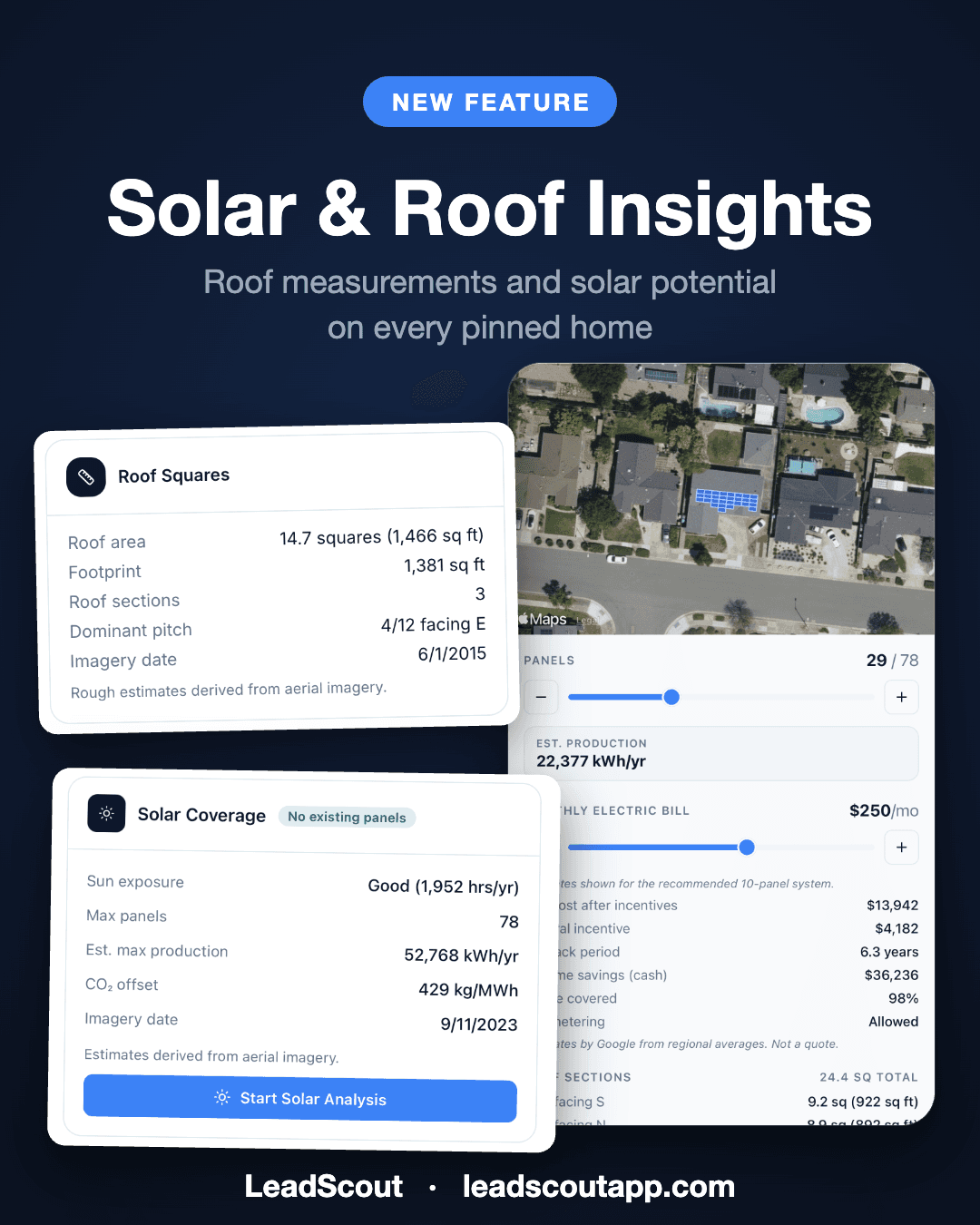
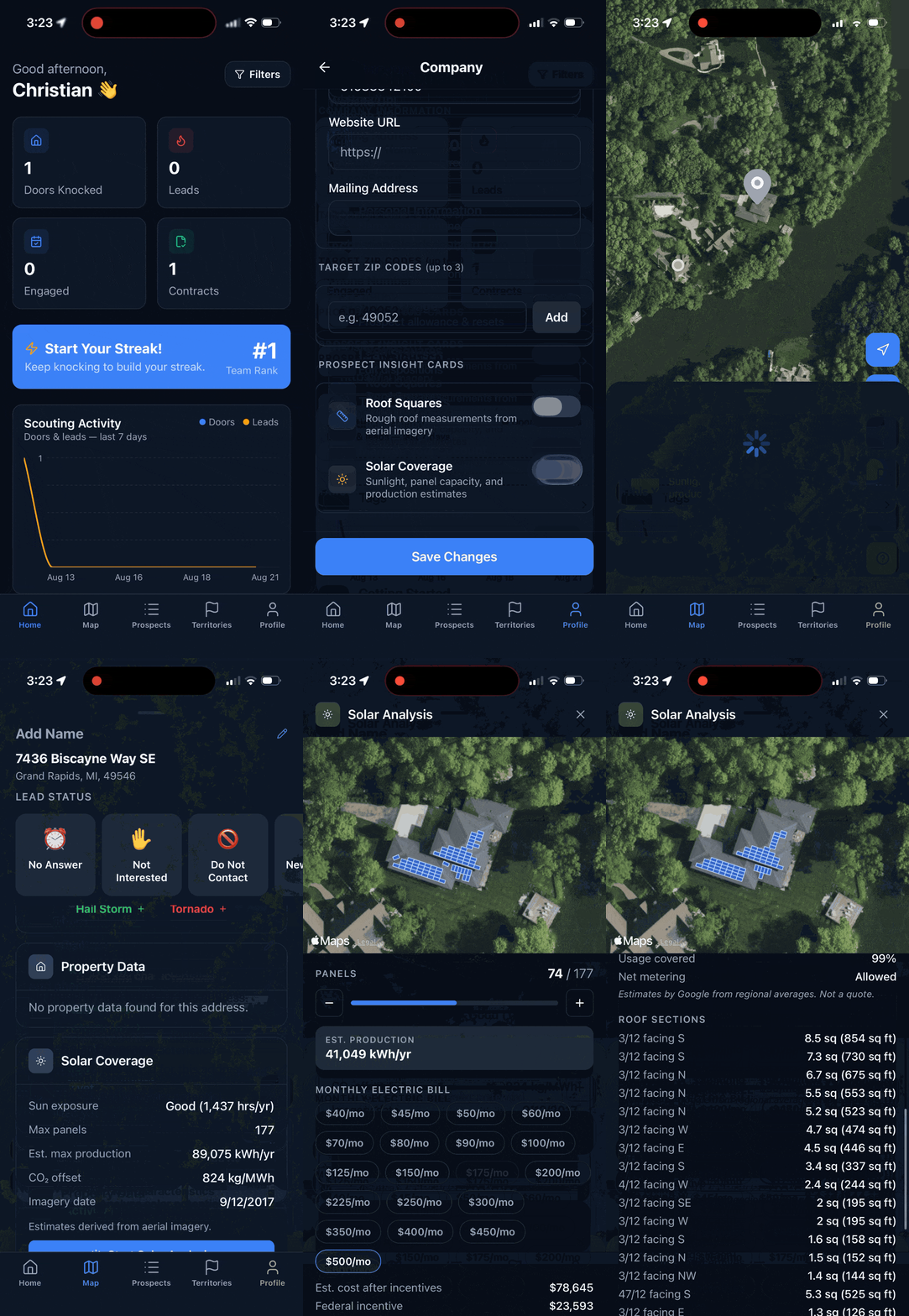
Today we are releasing Solar & Roof Insights, two new prospect cards and a full-screen analysis view that bring aerial roof measurements and solar estimates directly into the LeadScout map:
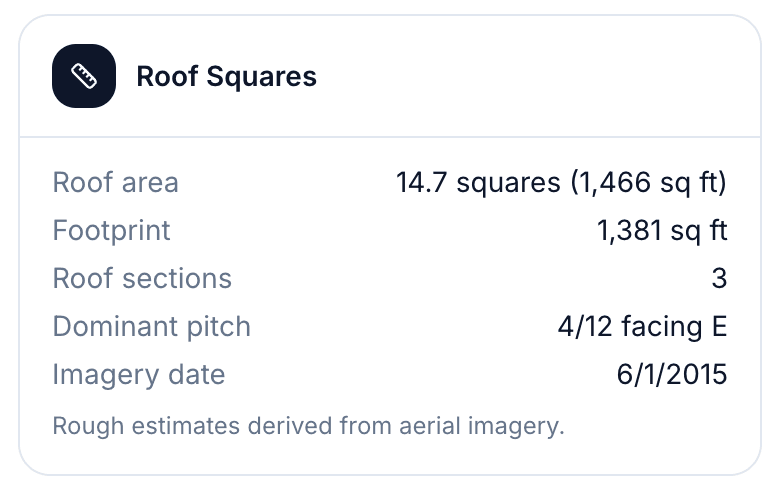
- Roof Squares measures the roof of any pinned home from aerial imagery: total roofing squares and square footage, ground footprint, roof segment count, and dominant pitch with compass facing.
- Solar Coverage scores the home's solar potential: yearly sunshine hours with a Good, Fair, or Limited rating, maximum panel count, and estimated yearly production in kWh.
- Solar Analysis opens a satellite view of the actual roof with the panel layout drawn on it, a panel count slider, and a savings breakdown you can walk through with the homeowner.
All three are available now on web, iOS, and Android. Every plan includes a free retrieval to try on a real home, and the Pro plan includes unlimited retrievals.
Aerial roof measurements from a single tap
Roofing crews have always faced the same trade-off at the door: talk in vague generalities, or climb a ladder before you even know if the homeowner is interested. Roof Squares removes that trade-off.
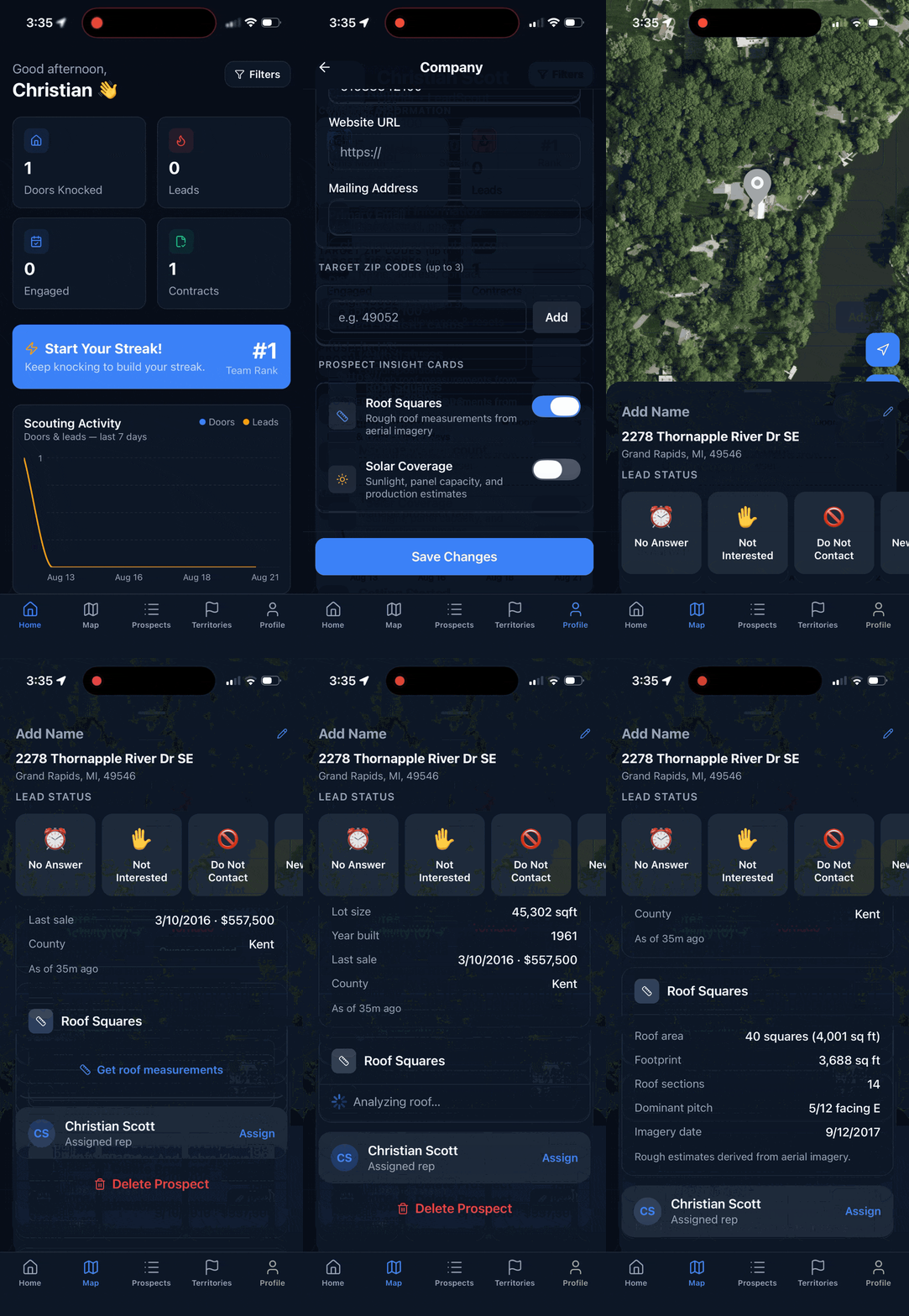
Pin a home in LeadScout, tap Get roof measurements, and within seconds the card shows:
- Total roof area in roofing squares and square feet
- Ground footprint of the building
- Roof segment count, a quick read on complexity
- Dominant pitch in roofer-style x/12 notation, plus which way it faces
- Imagery date, so you know how fresh the measurement is
That is enough to ballpark a job, plan a materials conversation, and qualify the home before anyone climbs anything. The numbers are estimates derived from aerial imagery, and the card says so plainly. They will not replace an on-roof measurement for the final bid, but they turn "we'd have to come take a look" into a real conversation on the first visit.
If you have ever typed "how many squares is my roof" into a search bar on a customer's driveway, this card is for you.
How do the measurements work?
The numbers come from high-resolution aerial imagery of the actual roof, the same data source behind Google's own solar products, and every card shows the date the imagery was captured so you know how fresh it is.
You stay in control of usage. Measurements run only when someone taps the button on a specific home, never automatically. And once a home is measured, the result is saved for your whole team: anyone who opens that pin later sees the same data without spending another retrieval.
Coverage includes most metro and suburban areas in the US. If a home is not covered, the card simply says so and no retrieval is used.
Solar potential and savings, explained at the door
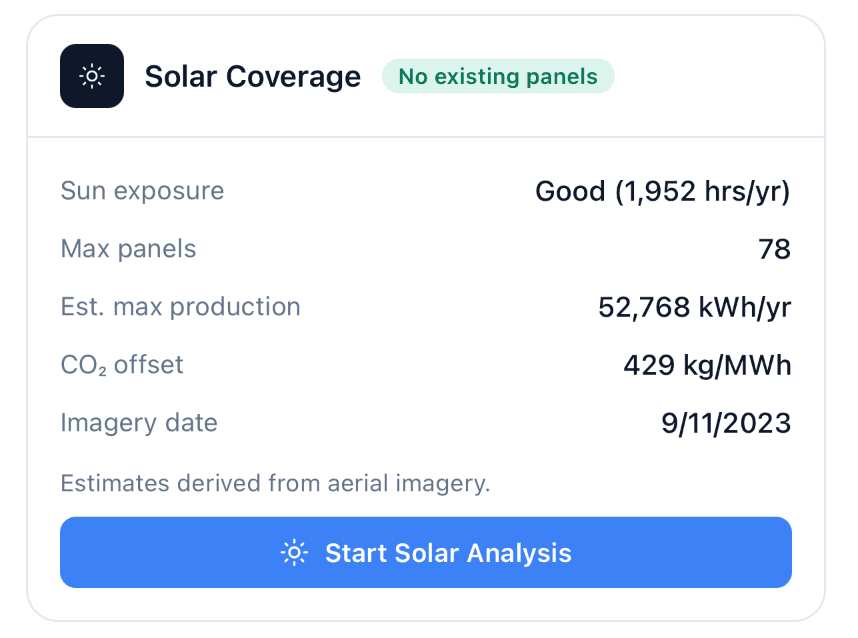
The Solar Coverage card gives solar reps an instant read on whether a home is worth the knock: yearly sunshine hours rated Good, Fair, or Limited, the maximum number of panels the roof can hold, estimated yearly production at that configuration, and a badge when existing panels are detected so you skip homes that already converted.
Tap Start Solar Analysis and LeadScout opens the full-screen view: satellite imagery centered on the home with the panel layout drawn directly on the roof. Drag the panel count slider and the view updates live, showing panels placed, yearly kWh, and how much of the roof is in play.
Below the map, the savings breakdown is built for the kitchen-table conversation. Pick the homeowner's average monthly electric bill and the analysis lays out:
- Estimated 20-year savings
- Payback period in years
- Out-of-pocket cost after the federal incentive
- Net metering assumptions
- Percent of household usage covered by the system
Every figure is an estimate from Google based on regional averages, and the view labels it that way. It is not a quote, and it is not meant to be. It is the difference between "solar could save you money" and showing the homeowner their own roof with real numbers under it.
Built for roofing and solar sales teams
We built LeadScout as door-to-door sales software first, and these cards are designed for the moment that matters most in field sales: the first conversation. A rep standing on a porch now has the same aerial roof measurements and solar modeling that used to require a desktop tool, a second vendor, or a follow-up visit.
If you run a roofing crew, Roof Squares means every pinned home in your territory carries its size and pitch before your team knocks. If you sell solar, Solar Coverage lets you triage a whole neighborhood by potential, then close the loop with a personalized analysis on the spot. And because it lives on the same pins as your property and homeowner data, there is no app-switching between "who lives here" and "what is this roof worth".
For the rest of the workflow, from first knock to signed deal, see our guide on how to do door-to-door sales effectively, or watch the live demo.
How to turn it on
Roof Squares and Solar Coverage are controlled per company under Prospect Insight Cards in settings, so admins decide what reps see:
- Toggle each card independently on web company settings.
- If your company selected roofing or solar as its industry during onboarding, the matching card is already on.
- Cards appear on the prospect detail panel on web and in the iOS and Android apps.
Every plan, including Free, comes with one retrieval on the house so you can point it at a real roof today. Unlimited retrievals come with Pro.
Frequently Asked Questions
How accurate are the aerial roof measurements?▼
Where does the roof and solar data come from?▼
How many squares is my roof? Can LeadScout tell me?▼
Do measurements run automatically for every pin?▼
Which plans include Roof Squares and Solar Analysis?▼
Which homes are covered?▼
Can I turn the insight cards off?▼
Ready to put it to work?
LeadScout gives your team aerial roof measurements and solar savings estimates on every pinned home. Get started free today.
Start for Free